Resize, crop, and edit images in your browser — meet Nova Image Converter
Nova Image Converter is a collection of tools for basic image editing and conversion, done entirely in your browser. No app to install.
What it does
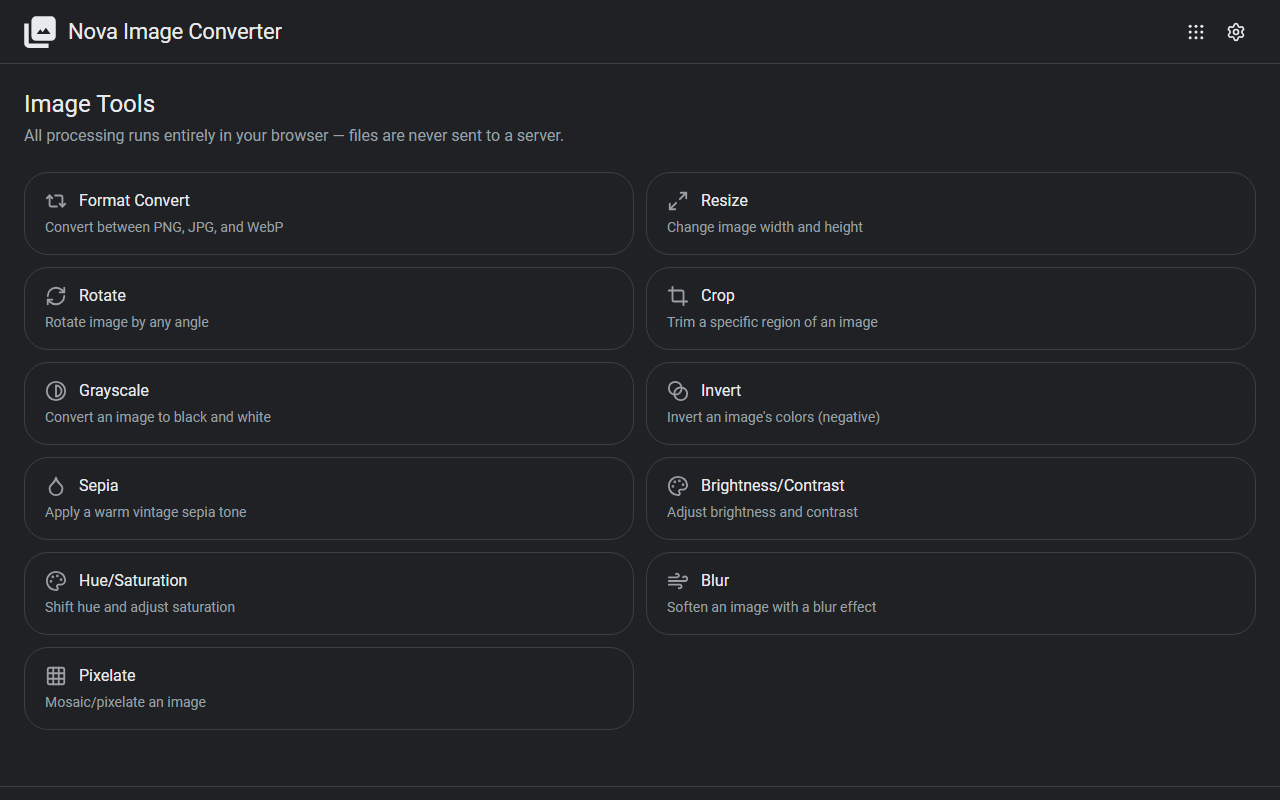
- Format conversion: convert between formats such as PNG, JPG, and WebP
- Size and orientation: resize, rotate, and crop
- Color adjustments: grayscale, invert, sepia, brightness/contrast, hue/saturation
- Effects: blur and pixelate
How to use it
- Pick a tool from the list on the top page
- Load an image and adjust it while watching the preview
- Download the finished image
No sign-up, no installation.
Privacy
All processing happens in your browser (via the Canvas API). Your images are never uploaded to a server, so private photos and screenshots of internal documents are safe to work with. All features are free.
When it comes in handy
- Getting an image to an exact size for an icon or social preview
- Cropping a screenshot down to just the part you want to show
- Pixelating personal information in a photo before sharing it
Novare Orbis offers other free, browser-based tools as well — see the full list.