Convert, trim, and GIF-ify videos in your browser — meet Nova Video Converter
Nova Video Converter is a collection of tools for common video edits, done entirely in your browser. It runs FFmpeg — the industry-standard video toolkit — inside the browser via FFmpeg.wasm.
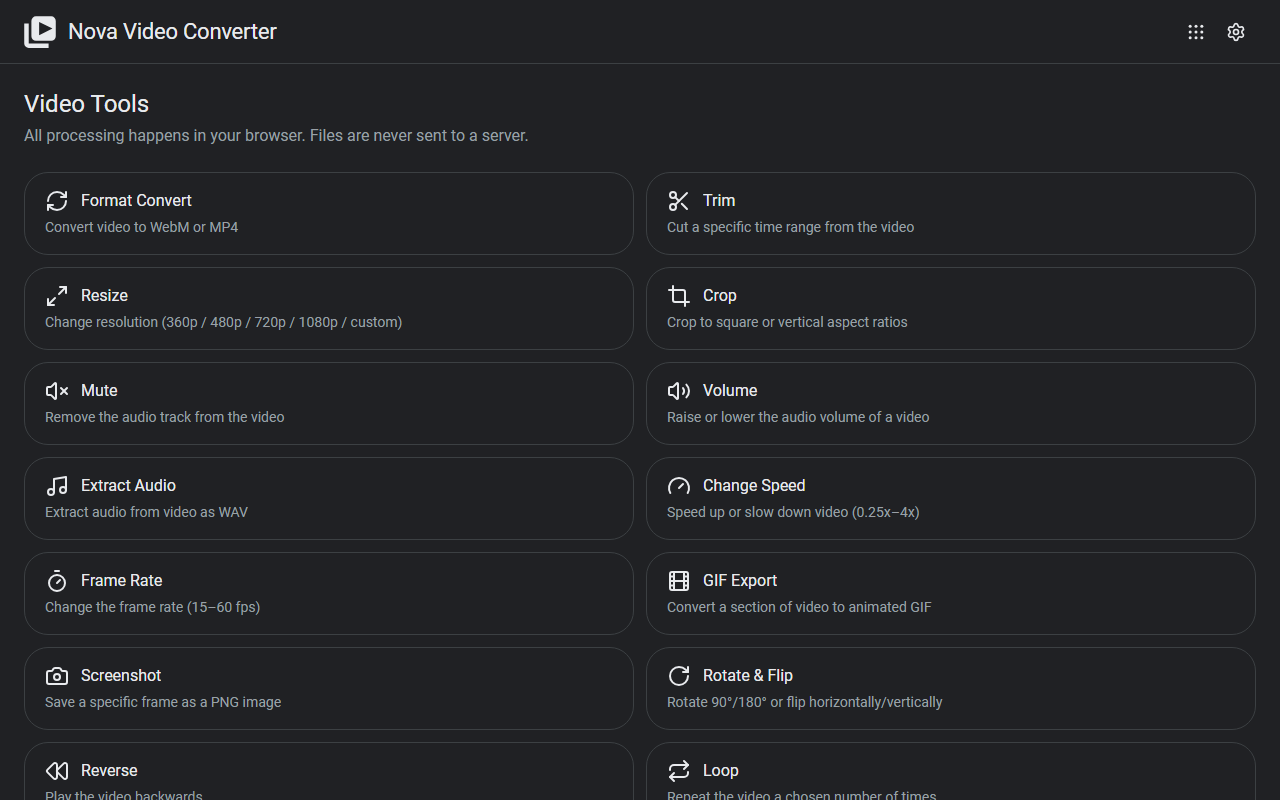
What it does
- Convert and compress: format conversion, compression, and animated GIF conversion
- Cut and reshape: trim, resize, crop, and rotate
- Audio: mute (remove the audio track), adjust volume, or extract just the audio
- Playback: change speed, change frame rate, reverse, and loop
- Stills: grab a screenshot from any moment in the video
How to use it
- Pick a tool from the list on the top page
- Load a video, set the parameters, and run it
- Download the result when it finishes
Processing runs on your own machine, so large videos can take a while. No sign-up, no installation.
Privacy
All processing happens in your browser — your videos are never uploaded to a server, and there's zero time spent waiting for uploads. All features are free.
When it comes in handy
- Cutting just the part you need out of a phone recording
- Turning a demo video into a GIF for a README or chat message
- Extracting the audio track from a video to send to transcription
Novare Orbis offers other free, browser-based tools as well — see the full list.