Compose music with a piano roll in your browser — meet Nova Tune
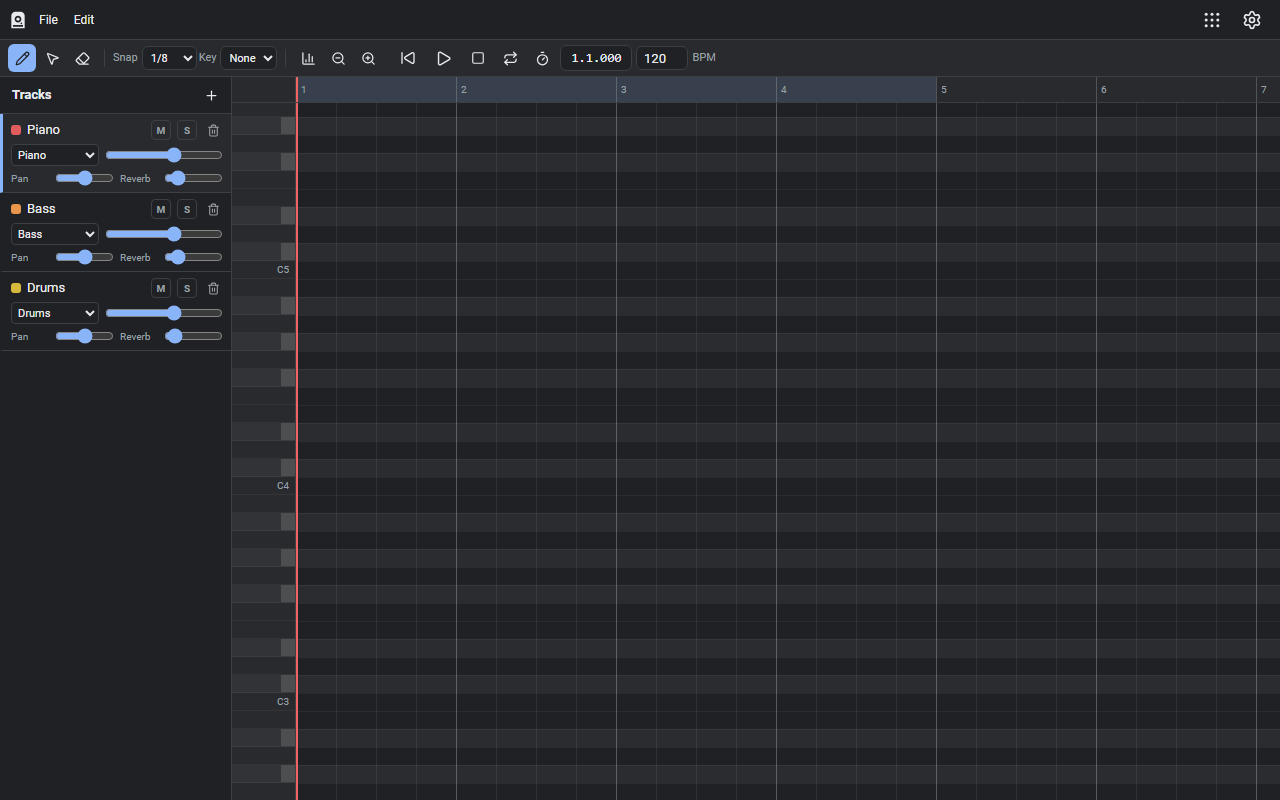
Nova Tune is a music-making tool that runs in your browser. Place notes on the piano roll familiar from any DAW and start writing music with nothing to install.
What it does
- Piano-roll sequencing: click to place notes, drag to adjust length and pitch, with copy & paste (Ctrl+C/X/V) and quantize (Q)
- Sounds: 11 built-in instrument voices plus drums — layer tracks to build an ensemble
- Mixing: per-track volume, pan, and reverb
- Writing aids: key/scale highlighting shows at a glance which notes fit, and a velocity lane lets you shape dynamics
- Export: render your song to WAV (audio) or MIDI (SMF) — and import MIDI files too
How to use it
- Open the site and start placing notes on the piano roll
- Add tracks to layer instruments, then balance them with volume and pan
- Export to WAV or MIDI when you're done
Your work-in-progress is auto-saved in the browser. No sign-up, no installation.
How your data is handled
Sound synthesis and playback happen entirely in your browser (Web Audio API) — your music is never sent to a server. It's free.
When it comes in handy
- Trying out step-by-step composing before buying a DAW
- Quickly sketching a short loop for a game or video
- Capturing a melody as MIDI to take into a full production setup
Novare Orbis offers other free, browser-based tools as well — see the full list.