A layer-based drawing and image editor in your browser — meet Nova Paint
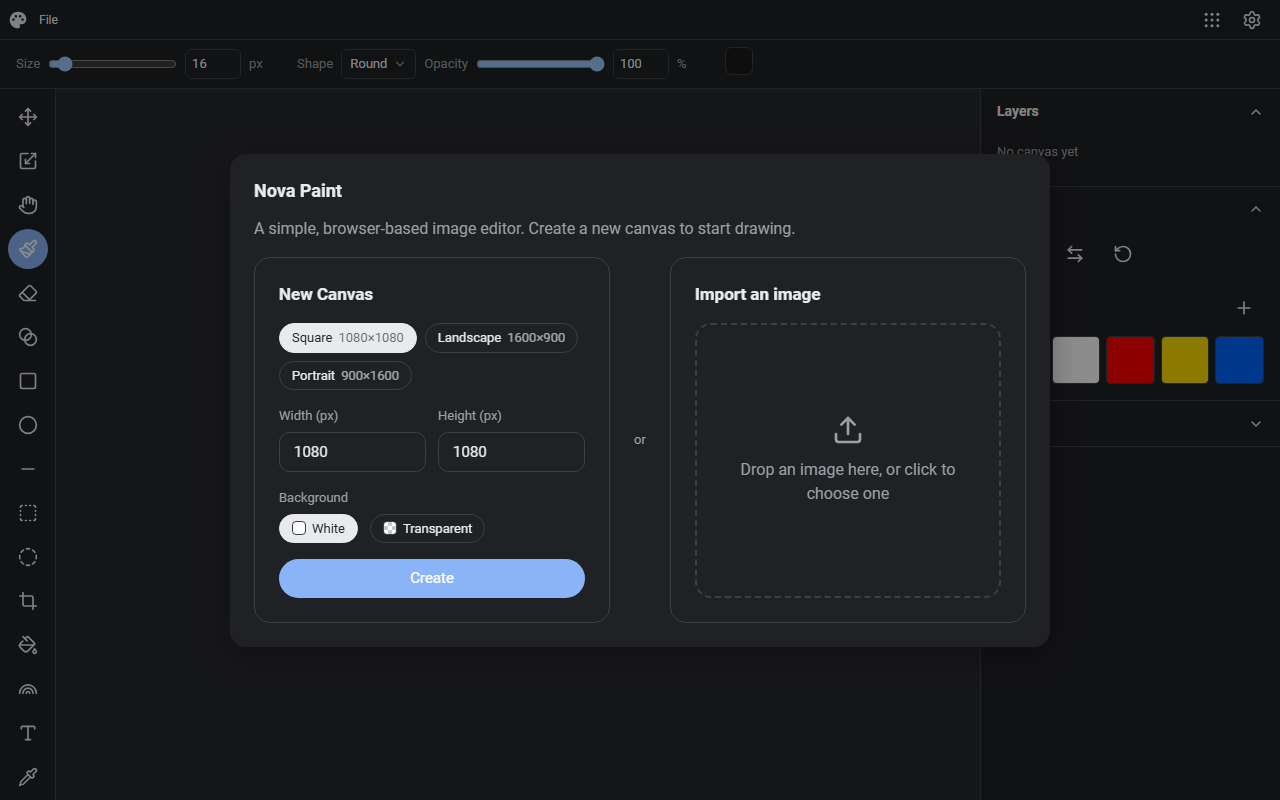
Nova Paint is an image editing and drawing tool that runs in your browser. There's nothing to install — open it and start drawing on the canvas.
What it does
- Layers: reorder, merge, and flatten — the layer operations you'd expect from an image editor
- Drawing tools: freehand brushes, shapes like lines, rectangles, and ellipses, and text placement
- Adjustments: color adjustments for final touch-ups
- Editing: undo/redo and copy & paste (Ctrl+C/V) shortcuts
- Saving: save your work as a project file (.novapaint) to resume later, and export the finished piece as an image
How to use it
- Open the site and the canvas is ready
- Pick a brush or shape from the toolbar and manage stacking in the layers panel
- Save the project or export an image from the menu
No sign-up, no installation.
How your data is handled
Everything you draw is processed in your browser — nothing is uploaded to a server. It's free.
When it comes in handy
- Sketching a quick diagram or thumbnail without a paint app installed
- Annotating a screenshot on a machine that isn't yours
- Trying out layer-based editing without committing to heavyweight software
Novare Orbis offers other free, browser-based tools as well — see the full list.