A timeline video editor that runs in your browser — meet Nova Clips
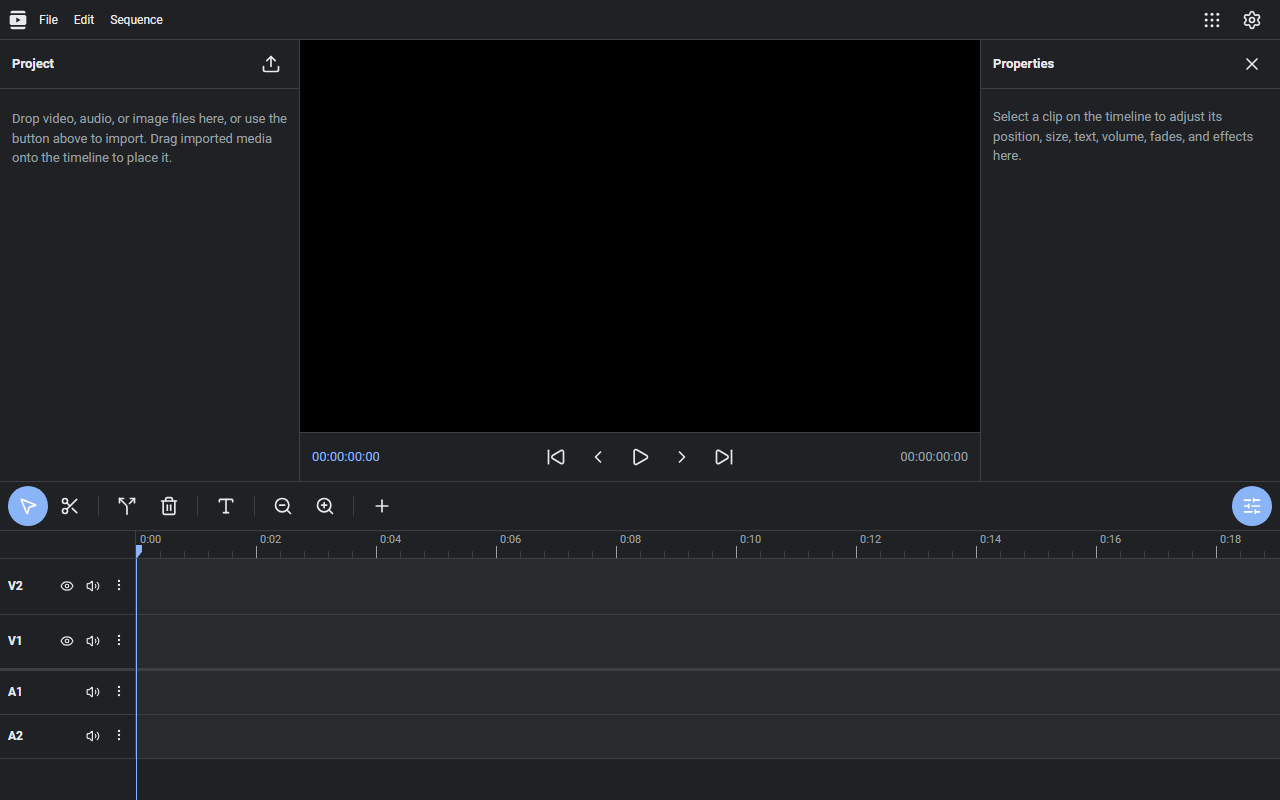
Nova Clips is a video editor that runs in your browser. It uses the multi-track timeline layout familiar from desktop editors, with nothing to install.
What it does
- Timeline editing: arrange video, audio, and images on tracks, then trim, split, and move clips to build your cut
- Clip adjustments: position and size transforms, effects, fade in/out, and speed changes
- Text: place captions and style them — drop the text in, then fine-tune it in the inspector on the right
- Inspector: adjust the selected clip precisely with sliders and numeric inputs
- Export: render the finished video as WebM
How to use it
- Import your media (video, audio, images) by drag and drop
- Arrange it on the timeline and shape it with trims and effects
- Export as WebM from the menu
No sign-up, no installation.
How your data is handled
Editing and export both happen in your browser — your footage is never uploaded to a server. It's free.
When it comes in handy
- Cutting the dead air out of a screen recording and adding captions
- Assembling a quick video on a machine where you can't install an editor
- Trying out video editing for free before committing to anything
Novare Orbis offers other free, browser-based tools as well — see the full list.