A calendar app with no account and local storage — meet Nova Calendar
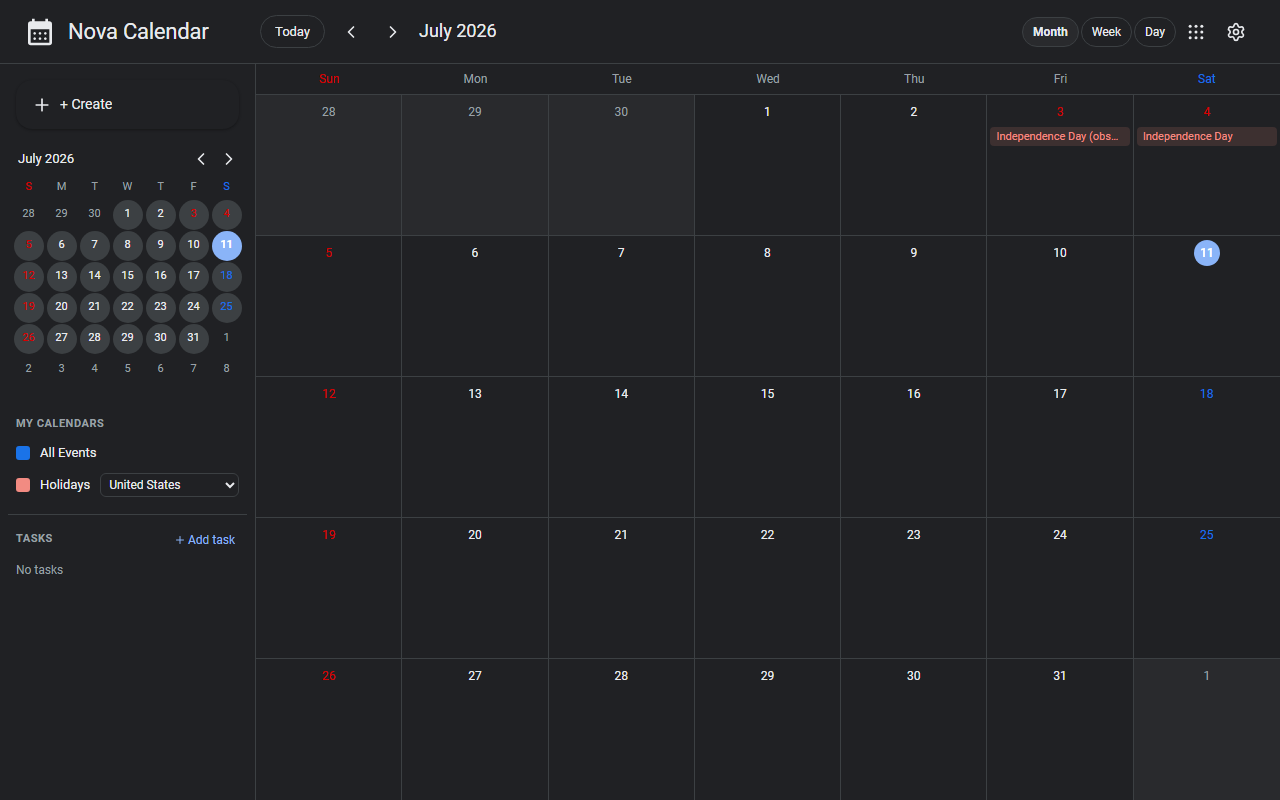
Nova Calendar is a calendar app that runs in your browser. It feels like Google Calendar, but your events are saved to local .ics files instead of a cloud. There is no account to create.
What it does
- Events and todos: manage your schedule across month, week, and day views, with a todo list alongside
- Standard format: data is stored locally as
.icsfiles — the standard calendar format — so you can import from and export to Google Calendar or Outlook - Holidays: built-in holidays for six countries — Japan, the US, Spain, France, South Korea, and China — selectable in the sidebar
- Keyboard shortcuts: ←/→ to move between periods, T for today, M/W/D to switch views
How to use it
- Open the site and the calendar is right there — click a date to add an event
- Choosing a storage folder and importing/exporting are available from the settings menu
No sign-up, no installation.
How your data is handled
Your events and todos live in local .ics files — nothing is sent to a server. Because it's a standard format, moving to another calendar app is just a file import away. It's free.
When it comes in handy
- You'd rather not hand your schedule to a cloud service
- You want a lightweight personal calendar separate from your work one
- You want a calendar that can open and edit .ics files directly
Novare Orbis offers other free, browser-based tools as well — see the full list.